The iPad is a small, light device, and that alone gives it a considerable advantage over laptops in some areas of design. Add the Apple Pencil for taking notes and sketching, and the iPad suddenly becomes an indispensable device you maybe didn't even know you needed.
If you're a UX or UI designer thinking about getting an iPad, or just looking for more ways to use one, this article is here for you.
1) Digital notes always at hand
If you swear by handwritten notes but need to have them all with you, the iPad offers a great solution. With the Apple Pencil you write just like with a pencil, and thanks to a matte film like Paperlike, writing on the iPad is even more comfortable.
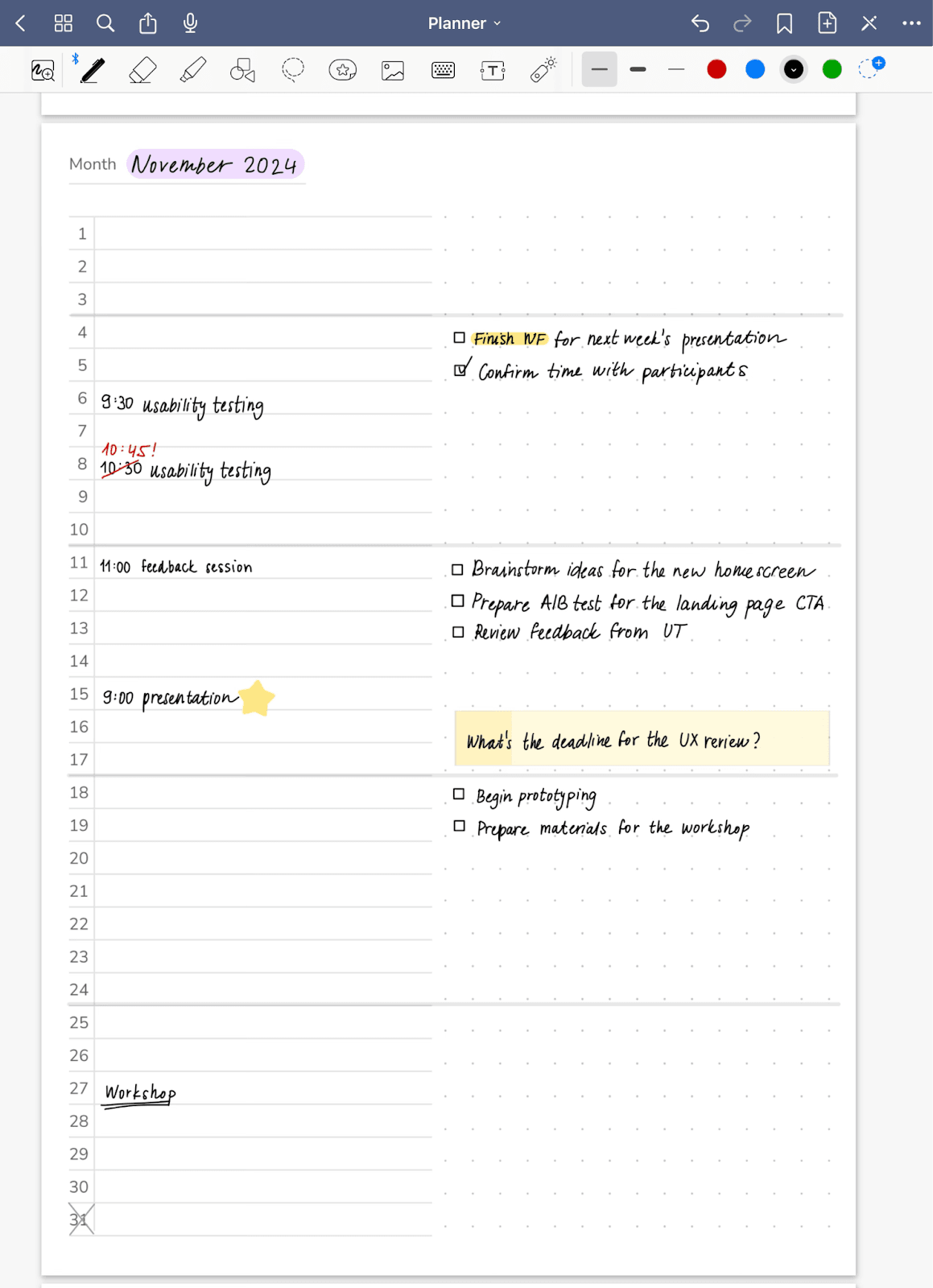
You'll use digital note-taking any time you'd reach for paper. It can be in the early phase of a new project or a new feature, when analyzing an existing product, brainstorming questions or taking notes during usability testing.
There are plenty of note-taking apps on the market, e.g. GoodNotes or Notability. They let you customize the format and look of the paper, so you won't miss out on lined, squared or dotted notebooks. Besides the offered paper styles, you can create your own and make, for example, your own personalized digital diary. These apps also have wide options for pen and color settings, including highlighters, which makes them great for annotating PDF files too. If you write in one of the supported languages (which unfortunately Czech isn't), you can convert handwriting into text. Besides handwritten notes, you can also type directly from the keyboard.
An undeniable advantage of digital notes is that they can be easily edited. Using the available tools you can easily delete text or an image, or select anything on the page and move it elsewhere.
2) Sketching and quick ideas
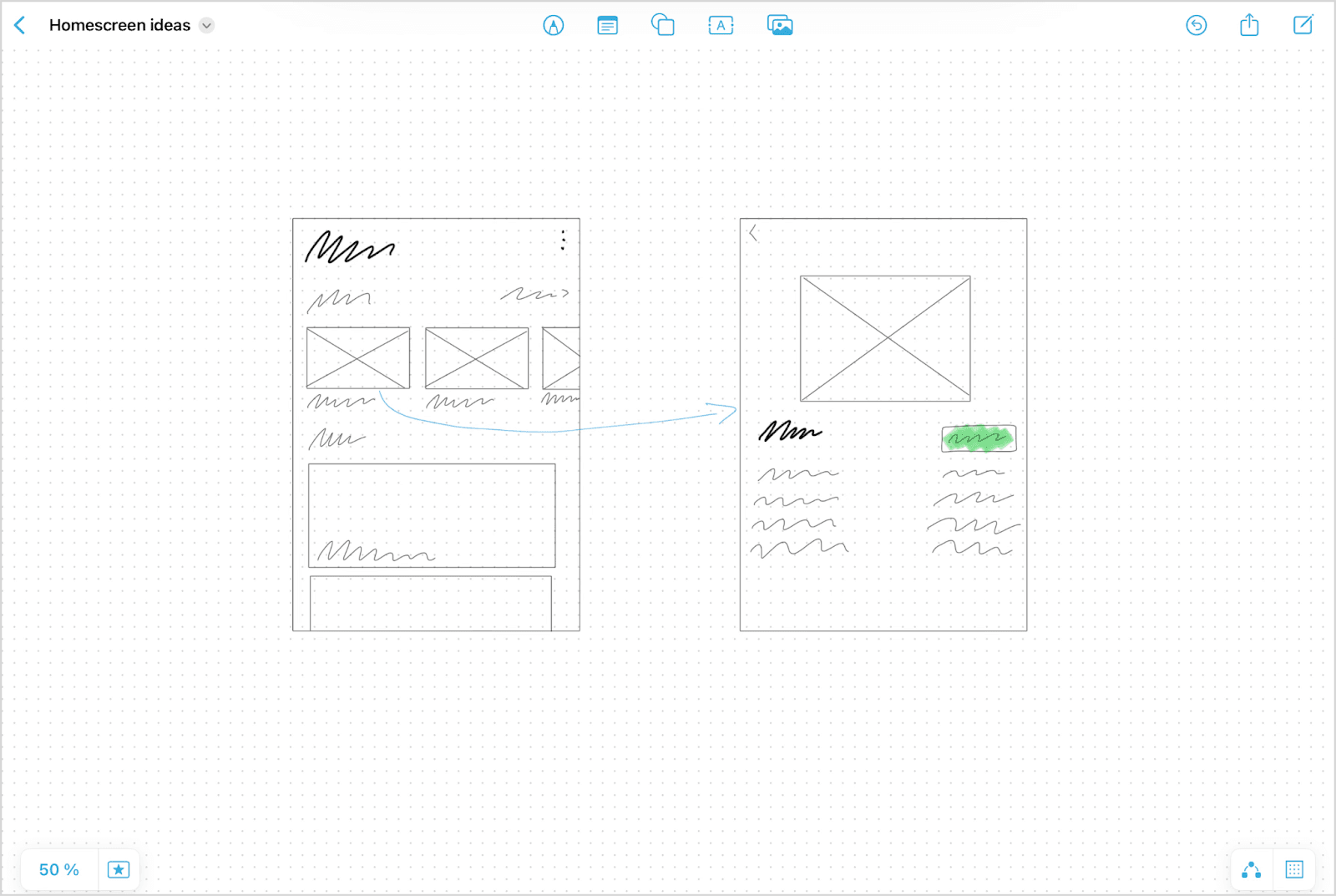
If you prefer typing on a keyboard, you can still use the iPad and Apple Pencil for quick sketching, creating lo-fi wireframes, and brainstorming and visualizing ideas. The already-mentioned apps are good for this, as are apps designed specifically for it like Freeform, FigJam or Miro. You can thus easily iterate on ideas and share them with the team straight from the iPad. Digital sketching is also faster; if you want to edit only part of a sketch, you don't have to cross things out messily or redraw everything – you just erase that part and draw it again.
3) Sustainability and organization
Using the iPad for digital notes and sketches has several sustainability benefits. Above all, it helps save paper – instead of a pile of notebooks and sketchbooks, everything is organized in one place. You don't have to deal with where to store old notebooks or where to put a mountain of papers. You have all your notes and sketches at hand without them taking up physical space, and you can even search through them. Digital notes are securely stored and easily backed up, so there's no risk of losing or damaging something important. You don't lose the comfort that using paper brings, and at the same time you keep the entire history of work on a project, in a sustainable and organized way.
4) Flexibility even on the go
Thanks to its low weight and dimensions, the iPad lets designers work from anywhere, whether from a café, a bus or in meetings. The ability to sync content via iCloud also lets you pick up work on the iPad where you left off on the laptop. If you often work on the go, you can take the iPad along with your laptop and use it as an external monitor. But for a lot of things the iPad alone will be enough.
5) Access to Figma anytime and anywhere…?
Even though Figma doesn't have a native app for the iPad, you can easily get to your files through the web interface. Thanks to this you can check projects, edit designs, prototype or add feedback even in situations where it would be impractical to bring a laptop. With both touch control and using a keyboard and trackpad or mouse, though, the iPad is more suitable for basic edits. Although with a bit of practice you can work fairly efficiently on it, the absence of zooming via trackpad or mouse and occasional unreliable behavior when selecting elements can make the work less comfortable. Despite these shortcomings, it's an acceptable way to stay in the loop and continue working in Figma even when you don't have access to a computer.
Whether you take notes on the iPad, sketch wireframes or use it outside of work, the iPad offers flexibility and comfort you won't find elsewhere. The combination of a touchscreen, the Apple Pencil and various apps enables a sustainable and organized approach to creative work. Thanks to the iPad you can create anywhere, which makes it a valuable part of a designer's kit.
Interested? Check out the talk recording and share your experience, or drop by the next Ackee meets.