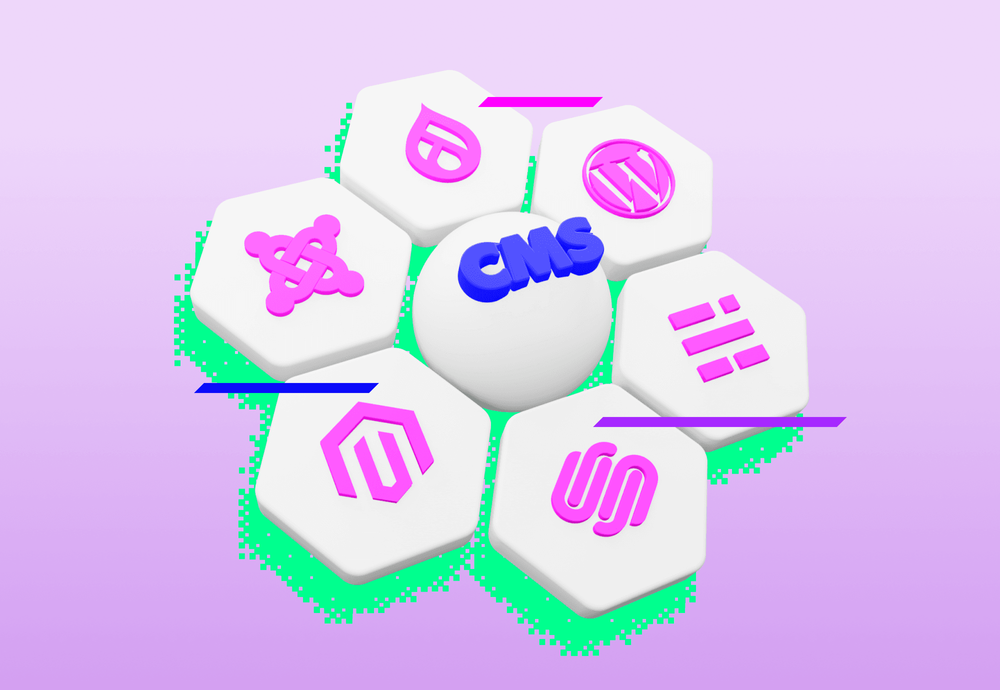
With the growing popularity of headless CMSs, the question of how to move from traditional systems like WordPress, Joomla or Drupal to a modern headless solution comes up more and more often. This process, however, doesn't always have to be simple. In this article we'll look at all the steps needed for a successful migration, including practical experience from migrating our company blog from WordPress to Strapi.
Traditional vs. Headless CMS
When we talk about managing content on the web, most of us think of traditional content management systems (CMS) like WordPress, Joomla or Drupal. These platforms have become the foundation for millions of websites around the world and provide robust tools for creating, publishing and managing content. But with the growing need for a more flexible and scalable approach to web applications, a new generation of CMS known as "headless" CMS has appeared. So what's the difference between these two approaches?
Traditional CMS
Traditional CMSs, like WordPress or Joomla, are so-called "monolithic" systems. This means that the content, the presentation layer and the administration interface are tightly connected into a single whole. They typically offer simple WYSIWYG editors and installable plugins that let users create and edit content directly in the administration, with the results immediately visible on the website.
Headless CMS
On the other hand, a headless CMS represents a more modern approach to content management. The main difference lies in the fact that it separates content management from its presentation. While a traditional CMS combines the content and presentation layers into one package, a headless CMS provides only the backend and administration environment for managing content. Consuming applications then access the content through an API. This means the same content can easily be displayed on the web, in a mobile app, on smart devices or any other platform.

The migration process
The difficulty of a migration always depends on the structure of the data in the systems you're migrating between. If it's a WordPress with a few posts that needs to be migrated one-to-one into a headless CMS, the migration will be very simple. On the other hand, if you're migrating three WordPress instances, where each instance contains a large number of posts and uses several plugins, into a single Strapi instance while ideally not wanting to lose any data, the migration can be a fairly demanding process. The second option is exactly our case. We migrated this very blog you're visiting from three separate WordPress instances (one for each language version) into a single Strapi CMS instance.

The process of migrating data from WordPress to a headless CMS.
1. Exporting data from the traditional CMS
This is probably the easiest step of the migration, since most traditional editorial systems are equipped with this feature. In our case it was enough to go to the WordPress settings, click on content export, and we got (almost) all the content from the given WordPress instance in one large XML file.
2. Configuring and deploying the headless CMS
Since the next step will require communicating with the new headless CMS, you need to configure and deploy the chosen headless CMS. This step also involves defining the data models and possibly installing supporting plugins.
3. The migration script
After the easiest step usually comes the most demanding one. That's developing your own migration script to transfer data between the original and the new CMS. Besides transforming the data format from a traditional to a headless editorial system, this script also handles, for example, converting image URLs or mapping relations. In our case it also handled, for example, generating new unique post identifiers while preserving existing relations. Or, within it, we obtained data from plugins that wasn't included in the exported data from the traditional CMS. To get this data, we had no choice but to "scrape" our own blog. Since Strapi can't do bulk image uploads, the script also handled uploading images via the REST API.
As you can see, the migration script is the core of the whole migration, unique to the logic and data model of the original and the new CMS. The script can be very simple, just a few lines of code, or complex and split, for better readability, into several files.
4. Importing data
This step can also be done from the migration script; we used a third-party installable plugin for Strapi, import-export-entries. With it we could import all the content through JSON files generated by the migration script.
Conclusion
Migration from a traditional to a headless editorial system can be a task for a single day, or also for several weeks, maybe even months. It isn't always worth it, but when I evaluate it from our point of view, it was definitely beneficial, and in several ways at once.
In terms of code management, we have the Strapi CMS deployed on our servers and we have complete control over the database. The same goes for the consuming frontend application. We have the blog implemented as a subpage of our Gatsby company website. So we can use a unified design system. And when we decide to change the website's design, we just need to make the changes in one place and they propagate to the blog too. That's considerably more pleasant and more sustainable than the separate custom template that was used for WordPress. The move to Gatsby also helped us achieve a better search engine optimization score on the Content King platform, which we use for SEO analysis. Specifically, by 25.6%!
The migration also brought a benefit for our marketing team, who can manage the blog's entire content from a single administration and thus don't have to switch between several applications. What experience do you have with migration? Let us know, for example on Twitter, or come chat about it at the next Ackee meets.